The Webhook block sends HTTP POST requests to external webhook endpoints with automatic webhook headers and optional HMAC signing.
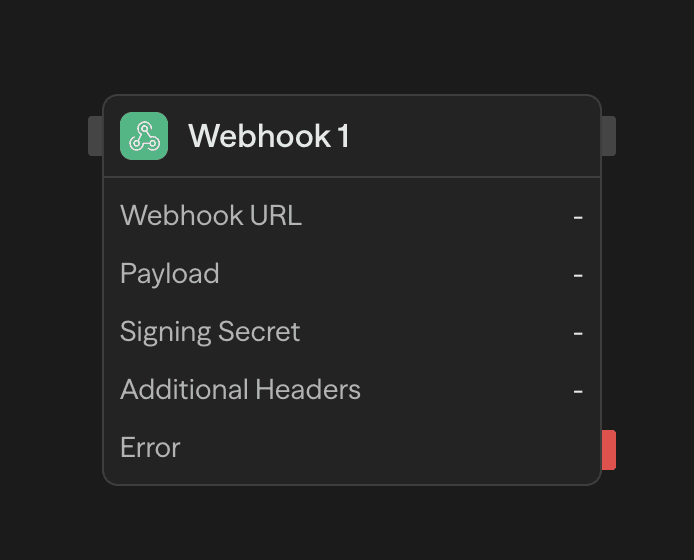
Configuration
Webhook URL
The destination endpoint for your webhook request. Supports both static URLs and dynamic values from other blocks.
Payload
JSON data to send in the request body. Use the AI wand to generate payloads or reference workflow variables:
{
  "event": "workflow.completed",
  "data": {
    "result": "<agent.content>",
    "timestamp": "<function.result>"
  }
}
Signing Secret
Optional secret for HMAC-SHA256 payload signing. When provided, adds an X-Webhook-Signature header:
X-Webhook-Signature: t=1704067200000,v1=5d41402abc4b2a76b9719d911017c592...To verify signatures, compute HMAC-SHA256(secret, "${timestamp}.${body}") and compare with the v1 value.
Additional Headers
Custom key-value headers to include with the request. These override any automatic headers with the same name.
Delivery Mode
Wait for response is the default. The block waits for the endpoint and exposes its response body, HTTP status, and headers to downstream blocks.
Fire and forget (best effort) validates the URL and payload, then starts delivery in the background. The workflow continues with dispatched: true. This confirms that the request was validated and scheduled, not that the endpoint received it. Invalid requests and exhausted background capacity fail the block before dispatch:
- The URL must be an absolute
http://orhttps://URL. Anything else fails withFire-and-forget requires an absolute HTTP(S) URL. - Each worker keeps at most 32 background requests in flight. When that capacity is full the block fails with
Background webhook capacity reached; retry later or use Wait for response.
Background delivery can be lost if the worker shuts down. Attempts have a 30-second deadline and a 64 KiB response limit. Later delivery failures are logged but do not fail or retry the completed block. Choose Wait for response when delivery results matter or downstream blocks need the response.
Automatic Headers
Every request includes these headers automatically:
| Header | Description |
|---|---|
Content-Type | application/json |
X-Webhook-Timestamp | Unix timestamp in milliseconds |
X-Delivery-ID | Unique UUID for this delivery |
Idempotency-Key | Same as X-Delivery-ID for deduplication |
Outputs
| Output | Type | Description |
|---|---|---|
data | json | Response body; only available in Wait for response mode |
status | number | HTTP status code; only available in Wait for response mode |
headers | object | Response headers; only available in Wait for response mode |
dispatched | boolean | Only available in Fire and forget mode. Confirms scheduling, not delivery |
Example Use Cases
Notify external services - Send workflow results to Slack, Discord, or custom endpoints
Agent → Function (format) → Webhook (notify)Trigger external workflows - Start processes in other systems when conditions are met
Condition (check) → Webhook (trigger) → ResponseThe Webhook block always uses POST. For other HTTP methods or more control, use the API block.